
Skip to content
TechNovus Lens

TECHNOVUS LENS

Tech simplified for everyday life

  • Home
  • About
  • Privacy Policy
  • AI
  • Apps
  • Best picks
  • Chromebooks
  • Earbuds / Headphones
  • General Technology
  • Guides
  • How-To
  • Laptops
  • Mac
  • Monitors
  • PC & Windows
  • Smart homes
  • Smartphones
  • Smartwatches
  • Tablets
  • VR & AR
  • Best picks
  • How-To
  • Guides
  • All Topics
    • AI
    • Apps
    • Chromebooks
    • Earbuds / Headphones
    • General Technology
    • Laptops
    • Mac
    • Monitors
    • PC & Windows
    • Smart homes
    • Smartphones
    • Smartwatches
    • Tablets
    • VR & AR

Home | Apps

Tag: Apps

Android devices on a display.
  • How-To
  • Smartphones

Safe Mode: A Quick Fix When Your Android Device Goes Awry

2024-04-122024-06-09

When your Android device starts acting up, Safe mode can be a lifesaver. Learn how to enter Safe mode and use it to troubleshoot problems caused by malfunctioning apps without losing any data.


Read More
An eBook reader in front of books.
  • Apps
  • Best picks

Best Free Ebook Reader Apps for Android in 2024

2024-04-052024-06-08

Can’t decide on the perfect eBook reader app for your Android device? We’ve compiled a guide showcasing the top 5 eBook reader apps available on the Google Play Store, along with a unique bonus option.

Read More
Top iPhone apps featured image
  • Apps
  • Best picks

Level Up Your iPhone 15: Best Apps for Productivity, Creativity & More

2024-03-202024-06-23

Elevate your iPhone 15 experience with our handpicked selection of essential apps. From productivity boosters to powerful communication tools and innovative utilities, you can unlock the full potential of your device and streamline your daily life.

Read More
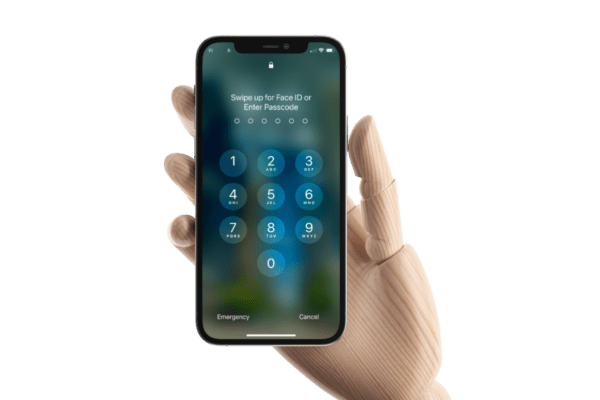
A wooden hand holding an iPhone displaying a passcode screen.
  • How-To
  • Smartphones

Lost Your iPhone Passcode: Here Is How to Unlock It

2024-03-072024-06-23

Being locked out of your iPhone can be stressful, but there are ways to regain access without losing all your data. This guide will walk you through three methods to get back into your iPhone. We’ll cover using iCloud backups, restoring with your computer, and recovery mode as a last resort. Follow these steps, and you’ll be back to using your iPhone in no time!

Read More

Trending

  • Money Matters Made Easy: The Best Budgeting Apps to Take Control of Your Finances
  • Find Your Lost Androids: Google Find My Device Network
  • Samsung Galaxy AI Expands Global Reach, Adding New Language Support
  • Your Guide to Dual-Screen Laptops: Everything You Need to Know Before Buying
  • Streaming Wars: Finding the Best Streaming Service (and Saving Money!)
  • Google vs. Bing: Which Search Engine is Better in 2024?
  • Gmail Not Receiving Emails? Fix It Now (Step-by-Step Guide)
  • Fitbit Ace LTE: The Smartwatch Kids Will Love That Makes Parenting Easier
  • Best 5G Smartphones For Everyday Life: The Tech You Need, Simplified
  • Apple’s Unleashing New iPads on May 7th – Get Ready to Let Loose!

  • AI
  • Apps
  • Best picks
  • Chromebooks
  • Earbuds / Headphones
  • General Technology
  • Guides
  • How-To
  • Laptops
  • Mac
  • Monitors
  • PC & Windows
  • Smart homes
  • Smartphones
  • Smartwatches
  • Tablets
  • VR & AR
TECHNOVUS LENS 2024
  • Privacy Policy
  • About